PhotographyVideoContent CreationUpdated on

DIY Website Photography & Video: Essential Equipment Guide for Scottish Businesses

Quality photos and videos don't require expensive gear. Here's exactly what you need to create professional-looking content without a massive budget.

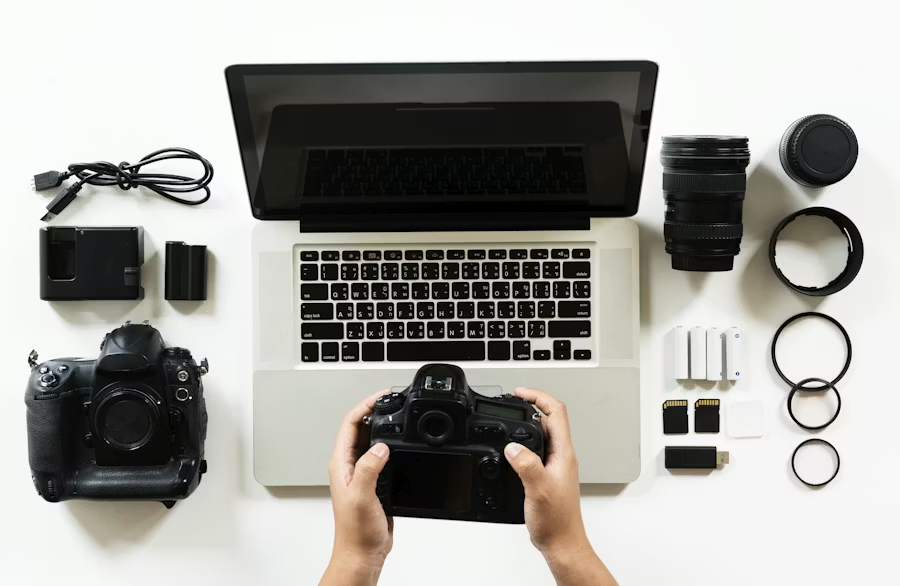
Professional camera setup with lighting on studio desk

If you purchase through links on this page, we may earn an affiliate commission - full affiliate disclosure.

Your website gets visited. But walls of text don't convert visitors into customers. Visitors stop and take action when they see:

  • A professional photo of you or your team
  • A video showing how your service or product actually works or looks
  • Behind-the-scenes content that humanizes your business
  • Before/after photos demonstrating results
  • Customer testimonials or happy clients

This applies whether you're running a shop, restaurant, handyman service, accounting practice, salon, or any other business. Photos and videos work for every industry.

Yet many small business owners skip creating this content because they think they need:

  • An expensive camera (£2,000+)
  • A professional photographer (£500-2,000 per shoot)
  • A fancy studio (impossible for home-based businesses)

You don't. You need the right equipment and knowledge of how to use it.

This guide breaks down exactly what equipment to buy, what to skip, and how to use it to create content that actually works—whether you're showcasing products, services, or your team.

Why Photos & Videos Matter for Your Business

Let's start with the data:

Video Content:

  • 91% of businesses use video as a marketing tool[1]
  • Videos increase conversion rates by 80%[1]
  • Social media video gets more shares than text and images combined

Photos & Video for Services:

  • Before/after photos increase perceived credibility by 72%[2]
  • Visual content (photos/video) is the #1 factor influencing purchase decisions[2]
  • 94% of service inquiries include a visit to photos/videos first[2]

Bottom line: Not having professional-looking photos and videos costs you customers. But you don't need to hire expensive professionals to get them. Whether you're selling products, services, or expertise, visual content drives results.

The Equipment Breakdown: What to Buy, What to Skip

✨ The Essentials

Start with these items. They deliver the biggest impact for the lowest cost.

1. Lighting (Most Important)

Bad lighting ruins even expensive cameras. Good lighting makes your phone camera look professional.

Neewer RGB LED Video Light Kit (2-pack)

  • Price: £70-90

Two-pack with tripod stands, softbox diffusers, and remote. Professional output at budget price. Customers report dramatically better video quality.

View on Amazon

Use Cases:

  • Product photography
  • Interview/testimonial videos
  • Behind-the-scenes content
  • Professional headshots
  • YouTube videos

Compare a photo taken next to a window at 2pm vs. one lit with these lights. The difference is shocking. You'll wonder why you ever tried without them.

Essential for videoBeginner-friendly

Once creating content regularly, upgrade to professional 3-point setups (£300-500). The Neewer kit will serve you for years.

2. Tripod & Stabilization

Shaky video looks amateur. Shaky photos look accidental. A tripod solves both.

Neewer 74-inch Tripod

  • Price: £25-35

Smooth pan-tilt head with 3-way control. Professional-grade stability for video at a beginner price. Highly rated.

View on Amazon

Use Cases:

  • Steady video recording
  • Product photography
  • Consistent framing
  • Time-lapse content
  • Talking-head videos

A budget tripod instantly makes all your content look professional. Shaky footage says 'amateur.' Stable footage says 'I care about quality.'

Best valueWorks with phones + cameras

Includes a phone tripod mount holder for smartphone recording.

3. Microphone (If You're Recording Audio)

Bad audio kills videos. People forgive bad video quality but not bad audio.

Audio-Technica Microphone

  • Price: £85-110

Studio-quality USB mic. Plug-and-play. Praised for sound clarity.

View on Amazon

Use Cases:

  • Zoom calls that sound professional
  • Voiceovers without room noise
  • Interview testimonials
  • Behind-the-scenes recording
  • Podcast quality audio

Customers immediately notice the difference. Your voice becomes a strength, not a liability.

Studio qualityPlug-and-play

If filming on location, look at the Rode Wireless GO II instead (£200-250, ASIN B0D7XL3VCR).


➕ Nice-to-Haves (Add Later)

Add these when you've mastered the essentials and need more features.

4. Camera (Optional—Your Phone Might Be Enough)

Modern smartphones take remarkably good photos and video. Your phone camera is good enough for most content.

Only buy a dedicated camera if:

  • You need features your phone doesn't have (much faster autofocus, better low-light, more zoom)
  • You're recording 8+ hours of video monthly
  • You need interchangeable lenses

Budget recommendation if you must:

Canon EOS M50 Mark II

(£400-500 used)

5. Backdrop (Clean Background = Professional Look)

Why it matters: Background chaos distracts from your message. A clean background looks intentional and professional.

ItemRecommended ProductPriceBest For
Simple Backdrop Stand
Simple Backdrop Stand£40-60Product photos, consistent framing
Video Call Background
Video Call Background£30-50Zoom, Teams, professional calls
Greenscreen (6x9ft)
Greenscreen (6x9ft)£40-60Digital background replacement

Honestly? Start with simple solid-color fabric. It looks professional and doesn't require editing.

6. Ring Light (For Talking-Head Videos)

Neewer 14-inch Ring Light with Stand

  • Price: £40-55

Softer, more flattering light. Fills face evenly, eliminates shadows. 3200-5500K adjustable color temperature.

View on Amazon

Ring lights are specifically designed for faces. If you're the subject in videos (testimonials, introductions), this beats regular lighting every time.

Flattering for facesEven lightingColor adjustable

Choose ring light only if you're the subject. For product lighting, stick with the LED kit above.


🔧 Essential Accessories

Small items that deliver big professionalism wins.

ItemRecommended ProductPriceWhy It Matters
Reflectors
NEEWER 43 Inch/110 Centimeter Light Reflector Light Diffuser 5 in 1£15-25Bounce light, eliminate shadows, soften harsh light
Memory Cards
Memory Cards (U3/V30)£10-15Video files are huge. Get fast cards. SSD backup.
Cable Ties
Velcro Cable Ties£3-5Keep cables organized and hidden. Looks professional.
Clamps Kit
Backdrop Clamps (4-pack)£5-10Professional fabric holding. Better than tape.

The Complete Budget Setup (Start to Finish)

Choose your adventure based on budget and commitment level:

💰 Minimum Setup: £130-180

Very Tight Budget

  • Ring light: £40
  • Tripod + phone holder: £25
  • USB microphone: £75

Can create: Phone videos, product shots, Zoom calls, voiceovers


⭐ Solid Beginner: £250-350

Most Popular

  • LED lighting kit (2-pack): £70
  • Tripod with phone holder: £30
  • USB microphone: £75
  • Simple backdrop: £50
  • Reflector: £25

Can create: Professional product photos, interview videos, testimonials, behind-the-scenes, polished Zoom calls


🎬 Production Setup: £700+

Serious Commitment

  • Professional LED lights: £200
  • Tripod + stabilizer: £80
  • Rode wireless mic: £70
  • DSLR camera (used): £400
  • Backdrop system: £50
  • Reflector + accessories: £30

Can create: Cinematic videos, professional interviews, YouTube content, website hero videos


How to Use This Equipment: Five Content Ideas

Idea #1: 60-Second Product Demo

What you need: Lighting, tripod, microphone (optional)

How to film:

  1. Set up lighting on both sides of your product
  2. Position phone/camera on tripod above the product at an angle
  3. Hit record
  4. Show the product, demonstrate it, show it in use
  5. Keep it under 60 seconds
  6. Edit out long pauses (cut it down to the good bits)

Why it works: People want to see products in action. A 60-second video gets more engagement than 500 words of description.

Examples:

  • A plumber: 60-second video showcasing a newly installed bathroom suite with modern fixtures
  • A restaurant showing signature dishes and kitchen
  • A handyman showing before/after of completed work
  • A designer showing website transformation
  • An accountant explaining tax tips on video
  • A hairdresser showing transformation before/after

Idea #2: Team Introductions

What you need: Ring light or LED lights, tripod, microphone

How to film:

  1. Position yourself facing the camera with ring light in front of you
  2. Record 30-45 seconds introducing yourself, what you do, and your philosophy
  3. Film short intros for each team member
  4. Add music and captions in editing

Why it works: Customers connect with people, not companies. Videos of real humans build trust like nothing else.

Examples:

  • "Hi, I'm John, I run a handyman service. Here's what I can fix for you..." (service)
  • "Hi, I'm Amy, head chef. This is how we prepare our signature dish..." (restaurant)
  • "Hi, I'm David, accountant. Let me explain this tax change in 60 seconds..." (professional)

Idea #3: Before & After Showcase

What you need: Lighting, tripod, camera/phone

How to film:

  1. Take a before photo (messy, old, broken)
  2. Take an after photo (clean, new, fixed)
  3. Create a simple slide showing both
  4. Add captions explaining what happened

Why it works: Before/afters are incredibly compelling. Shows real results.

Examples:

  • Website redesign before/after (agencies)
  • Garden landscaping before/after (landscapers)
  • Kitchen/bathroom renovation (contractors)
  • Office space transformation (designers)
  • Salon hair transformation (salons)
  • Restaurant interior remodel (hospitality)

Idea #4: Customer Testimonial

What you need: Ring light, tripod, microphone, backdrop (optional)

How to film:

  1. Position customer in front of ring light
  2. Ask them these questions and let them answer:
    • "What problem did you have?"
    • "What was the result?"
    • "What would you tell someone considering our service?"
  3. Record in short segments (easier for editing)
  4. Edit out the questions, keep their answers

Why it works: Customer testimonials are gold. Real people describing real results sell better than any marketing copy.

Pro tip: Offer them a small discount or thank you gift in exchange for 10 minutes of their time.

Idea #5: How-To / Educational Content

What you need: Microphone, tripod (optional), lighting (nice but not essential)

How to film:

  1. Screen record your computer/phone showing step-by-step
  2. Record your voiceover explaining each step
  3. Edit them together

Why it works: People search for how-to content constantly. "How to fix problem" or "How to accomplish something in your field" drives tons of traffic.

Software for screen recording:

  • Windows: Built-in screen recorder (Win + G)
  • Mac: QuickTime
  • Free: OBS Studio (works on everything, bit of learning curve)
  • Paid: Camtasia (£100+, very user-friendly)

Editing Software (Keep It Simple)

You don't need fancy editing software to start.

Free Options:

DaVinci Resolve (Best free option)

  • Professional-grade
  • Free version is genuinely capable
  • Bit of a learning curve
  • Works on Windows, Mac, Linux

CapCut

  • Mobile-first (phone app)
  • Super simple
  • Automatic captions
  • Effects and transitions built-in
  • Free (with watermark option)

iMovie (Mac only)

  • Dead simple
  • Built-in
  • Limited but effective

Windows Photos App

  • Built into Windows
  • Basic editing
  • Surprisingly capable for simple projects

Worth Paying For (After You're Comfortable):

Adobe Premiere Elements (£90/year)

  • Easier than Premiere Pro
  • Automatic editing suggestions
  • Built-in effects
  • Good for beginners who want power

Final Cut Pro (£300 one-time, Mac only)

  • Professional-grade
  • Less expensive than Adobe
  • Steep learning curve
  • Overkill unless you're doing this for real

Recommendation: Start with DaVinci Resolve (free). It's genuinely powerful. Once you outgrow it or want to go faster, upgrade.

Storage & Backup (Important!)

Video files are massive. One hour of 4K video = 100GB+.

What to use:

Recommendation: External hard drive + cloud backup. Belt and suspenders approach.

Common Mistakes to Avoid

1. Buying an Expensive Camera First

You don't need it. Master lighting, audio, and framing with your phone first. Then upgrade camera if you genuinely need it.

2. Poor Audio

People forgive bad video but not bad audio. Invest in a decent microphone before a camera. Audio is 50% of video quality.

3. Neglecting Lighting

This is the fastest way to look professional. Good lighting makes your phone camera look expensive. Bad lighting makes an expensive camera look cheap.

4. Filming Against Windows

Backlit videos look dark and amateurish. Put your light source in front of you, not behind you.

5. Recording in Noisy Spaces

Record during quiet times. Turn off notifications. Close windows. Your microphone picks up everything.

6. Not Using a Tripod

Shaky video makes you look amateurish. A tripod costs £20 and instantly makes everything better.

7. Over-Editing

Simple is better. Captions, music, maybe one transition. Don't go crazy with effects. Your content should be the star, not the editing.

8. Recording Too Long Videos

Most social media videos should be under 60 seconds. Blog videos can be longer but break them into chapters. People have attention spans of goldfish.

Scottish Business Examples

Edinburgh Eco-Products (Product Business)

The Situation: An eco-friendly product company was competing with big brands online. Their products were better but nobody knew.

What They Did:

  • Invested £300 in lighting, tripod, backdrop, and microphone
  • Filmed product demos (under 60 seconds each)
  • Recorded team introduction videos
  • Created before/after lifestyle photos
  • Filmed customer testimonials

The Results:

  • Website conversion rate jumped 25%
  • Social media engagement doubled
  • Cost per customer acquisition dropped 30%
  • Within 12 months, video-driven revenue exceeded investment 10x over

Glasgow Handyman Service (Service Business)

The Situation: A handyman was getting inquiries only from repeat customers. New customers didn't trust him enough to call.

What They Did:

  • Invested £250 in a tripod and phone holder
  • Created 15 before/after photos of completed jobs
  • Recorded 5 short videos explaining common repairs
  • Filmed a 60-second "about me" introduction

The Results:

  • Inquiries increased 40% in first month
  • Average job value increased (customers trusted quality)
  • Booked 3 months ahead within 6 months
  • Photos now his primary marketing tool

Edinburgh Plumber (Service Business)

The Situation: A plumber was losing jobs to competitors. Customers couldn't visualize what quality work looked like, so they just chose based on price quotes.

What They Did:

  • Invested £180 in a ring light and phone tripod mount
  • Created before/after photo series of 20 bathroom renovation projects (complete transformations)
  • Filmed 10 short "expert advice" videos:
    • "Planning a bathroom remodel: what to budget for" (2 min)
    • "Why hiring a certified plumber saves money" (90 sec)
    • "Common plumbing mistakes in bathrooms" (60 sec)
  • Posted weekly before/after carousel posts of completed bathroom suites
  • Filmed 3-4 customer testimonials from satisfied clients walking through their new bathrooms

The Results:

  • Website inquiries tripled in 2 months
  • Could charge 25-30% premium (customers could see transformation quality)
  • 85% of new customers mentioned seeing his bathroom portfolio
  • Booked 4 months ahead within 3 months
  • Now recognized as the go-to plumber for bathroom renovations

Key insight: Bathroom renovations are visual, impressive, and expensive decisions. By showing before/after transformations and educating customers, he positioned himself as a trusted expert, not just a tradesman. Customers pay premium prices for confidence.


Edinburgh Restaurant (Service Business)

The Situation: A restaurant had great food but didn't stand out on social media. Competitors with flashy content got more bookings.

What They Did:

  • Invested £400 in ring light and tripod
  • Filmed 60-second videos of signature dishes being plated
  • Created behind-the-scenes content (kitchen, staff)
  • Posted weekly "chef's special" videos

The Results:

  • Instagram followers grew from 200 to 2,500 in 6 months
  • Weekend bookings increased 35%
  • Videos generated more engagement than any paid ads
  • Now recognized as local "must-try" restaurant

Key Lesson: Across all business types—products, services, hospitality—they didn't hire production companies. They learned to do it themselves with £250-400 in equipment and a few hours learning.

Next Steps: Your First Project

  1. Pick one piece of equipment from the "essentials" section
  2. Start with your phone camera (seriously, it's good enough)
  3. Film 5 short videos (under 60 seconds each) this week:
    • Product demo
    • You introducing your business
    • Customer testimonial
    • Before & after
    • How-to related to your field
  4. Edit in DaVinci Resolve (free)
  5. Post on social media and your website
  6. See what resonates (more views? more inquiries?)

That's how you start. You don't need a £5,000 camera or a professional production team. You need:

  • Decent lighting
  • A stable tripod
  • Clear audio
  • Basic editing skills

The rest is just showing up and creating. The equipment does the heavy lifting.

Need Help With Your Project?

We help small businesses succeed online.

Get In Touch

References

  1. Reference 1
    1.Wyzowl. Video Marketing Statistics
    https://wyzowl.com/video-marketing-statistics
  2. Reference 2
    2.HubSpot. Why Video Content is Essential for Marketing
    https://www.hubspot.com/marketing/video-marketing-statistics
  3. Reference 3
    3.Buffer. Best Practices for Business Photography
    https://buffer.com/library/business-photography
  4. Reference 4